- Laser Pros International | Laser Printer Parts
- >Blog
- >Tech Tip - HP Engine Communication Error
Tech Tip - HP Engine Communication Error

Author: Ebben Joslin, Technical Support Supervisor
Published on December 18th, 2025
Covers:
– M452, M454, M455, E45028, M377 MFP, M477 MFP, M479 MFP, M480 MFP, E47528 MFP
Description:
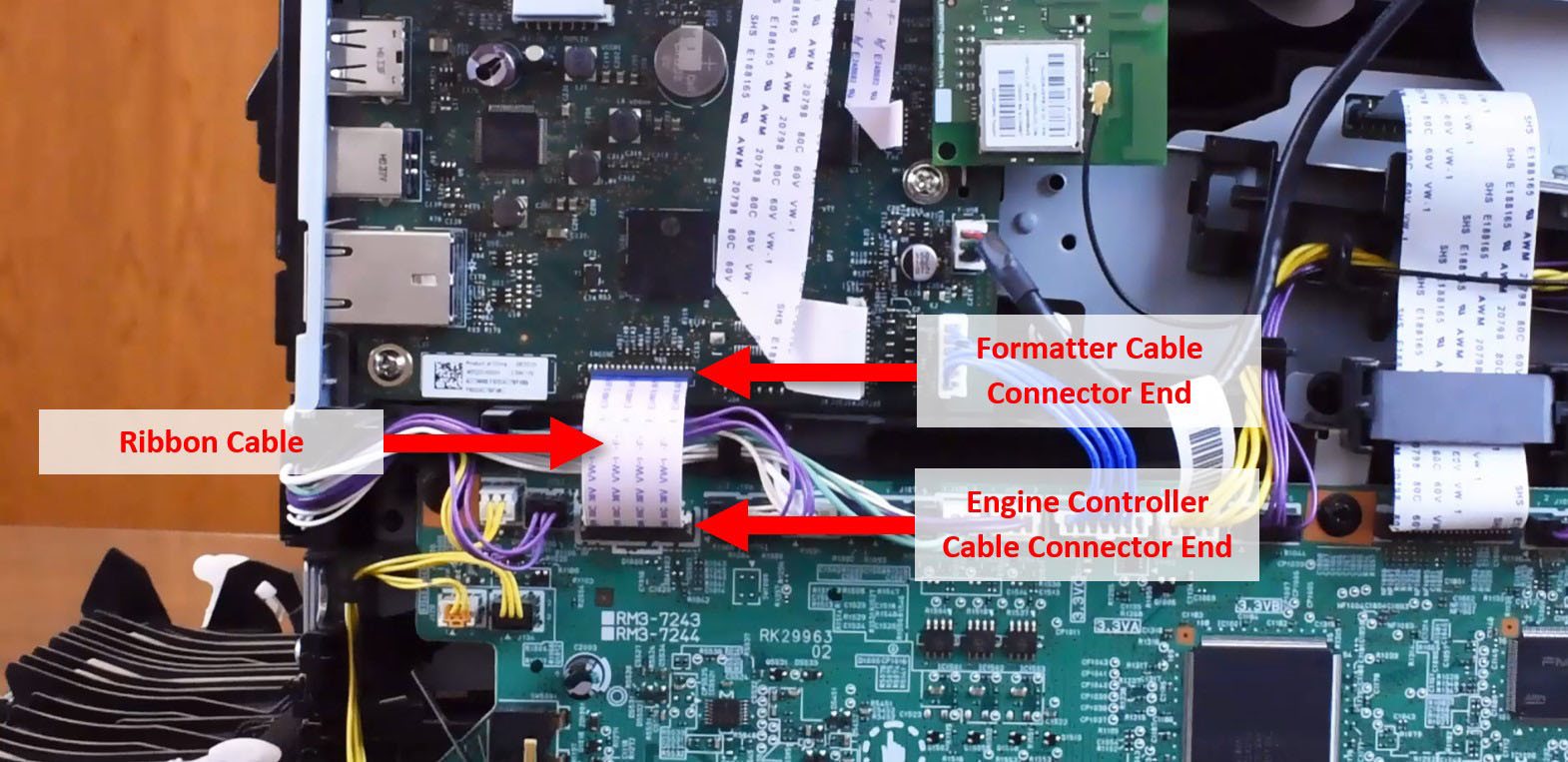
We’ve seen a noticeable rise in service calls where an Engine Communication Error appears after replacing internal components on these HP printers. In addition to the error, the display may stop working, produce solid-color pages, or print with missing colors. This error typically shows up after working on parts that require disconnecting the ribbon cable between the engine controller and the formatter board.
Common Cause
In nearly all cases we’ve received, the issue is traced back to damage to the ribbon cable, most commonly damage to one or both ends of the connector (Often bent, broken, or misaligned pins). This damage usually happens during removal or reinstallation.
The ribbon cable’s pins are delicate, and the formatter-side connector is especially prone to damage. Even slight misalignment when reconnecting can cause the engine and formatter to stop communicating and trigger the error.
Best Practices During Repair
- Disconnect the cable only from the engine controller end whenever possible (the formatter end is more frequently damaged), and be sure to release the locking clip before removing it.
- Handle the ribbon cable gently – avoid twisting, angled pulling or uneven pressure.
- Inspect the pins before reinstallation, ensuring none are bent or damage
If the Cable is Damaged
The cable must be replaced. Replacement part number: CF388-60116