
- Laser Pros International | Laser Printer Parts
- >Blog
- >Tech Tip - HP Persistent Supply Memory Error - M404/M428
Tech Tip - HP Persistent Supply Memory Error

Author: Ebben Joslin, Technical Support Supervisor
Published on December 4th, 2025
Covers:
– M404n, M404dn, M404dw, M428fdn MFP, M428fdw MFP, M428dw MFP
The listed HP LaserJet models may encounter a Supply Memory Error showing “ Event Code: 10.00.11 Memory error on indicated cartridge” or a “The indicated Supplies are not communicating correctly with the printer.” error message on the control panel.
This error usually indicates a problem with the toner cartridge’s memory chip; either the data is incompatible, unreadable, or has become corrupted. In most cases, the issue can be resolved by replacing the toner cartridge with a new or known-good one.
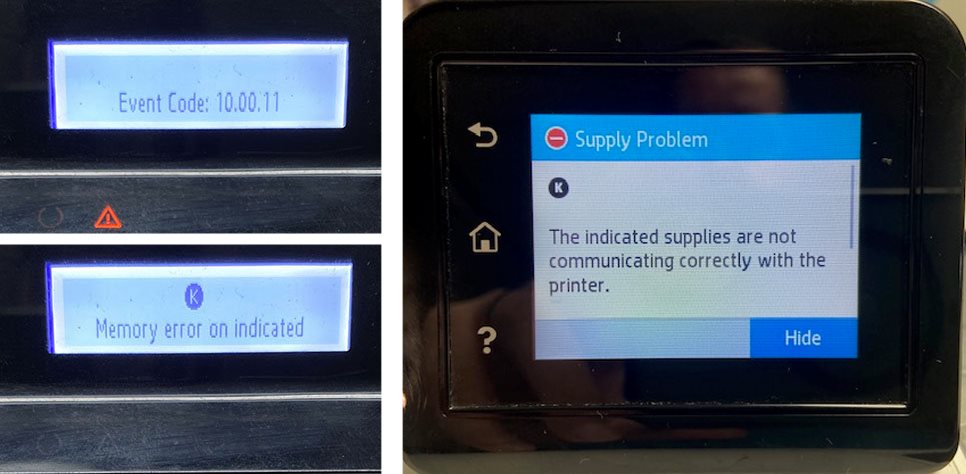
If the error persists after replacing the toner, it may indicate a failure of the formatter board (see the table below for the correct part number). In that case, the formatter will need to be replaced to restore normal operation.
| Model | Part Number |
|---|---|
| M404n | W1A52-60001 |
| M404dn | W1A53-60001 |
| M404dw | W1A56-60001 |
| M428fdn MFP | W2Q13-60003 |
| M428fdw MFP | W1A30-60001 |
| M428dw MFP | W1A28-60001 |